Resellers and shop owners can reach us via WhatsApp (lower-right corner button) For Special Pricing(GST B2B BoxPacks Stickers). We now accept orders from anywhere worldwide, with PayPal/Paytm/UPI payment. For any pre- or post-purchase inquiries, please contact us via WhatsApp or email.
Disclaimer: Remove all existing Office Versions manually by uninstalling or with the Office remover tool download from Google then only install these, it wont work on pirated software
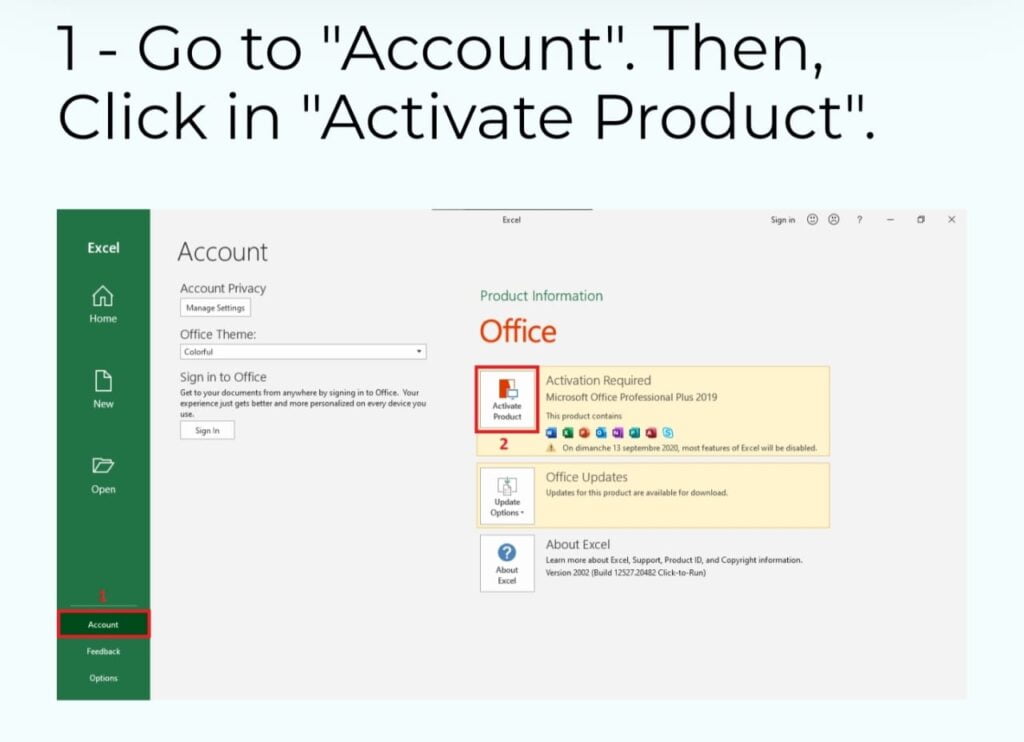
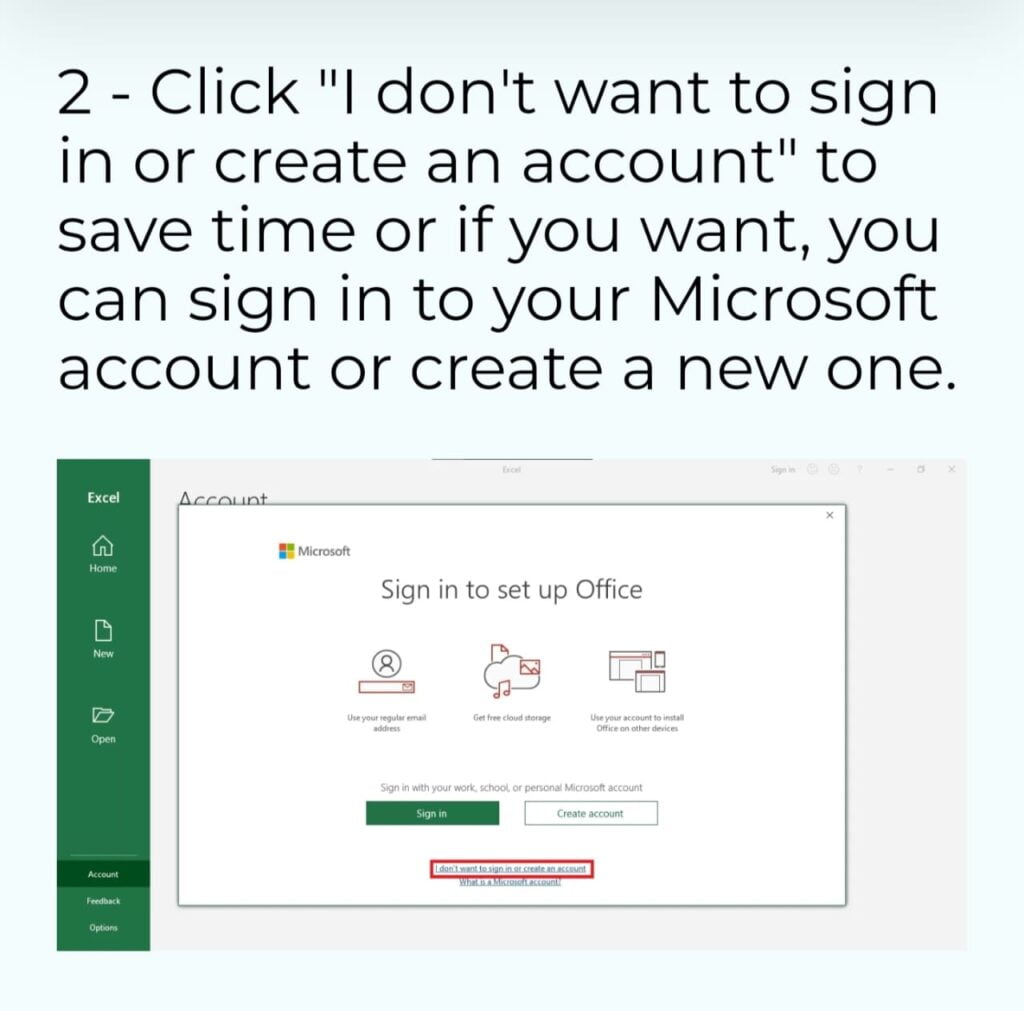
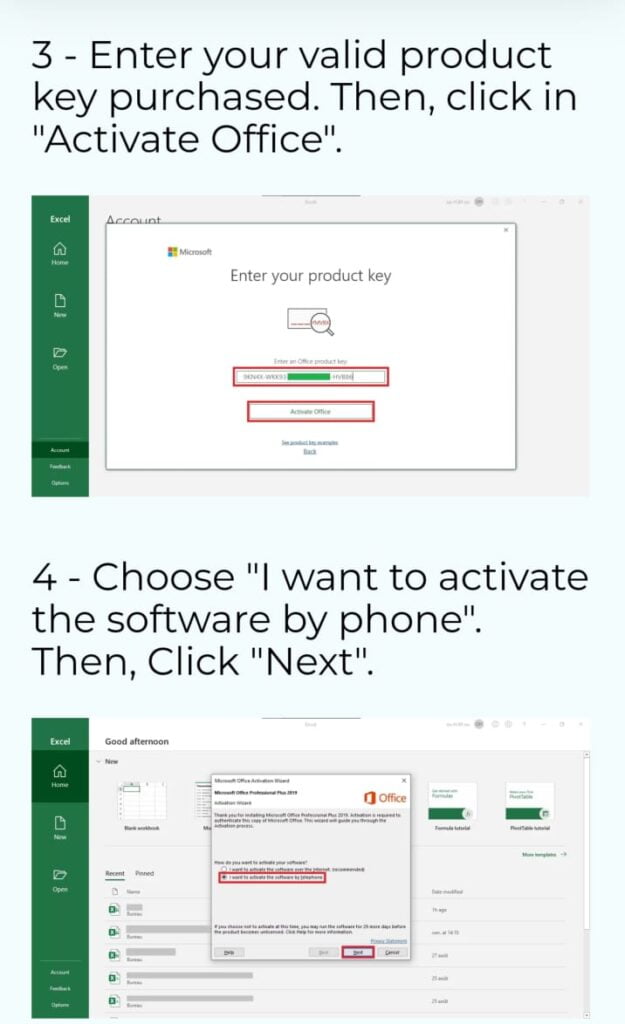
Steps after Installation are Given Below
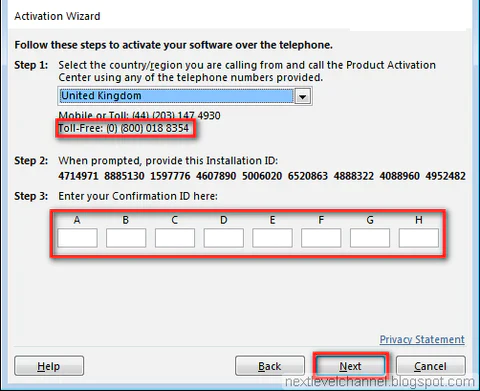
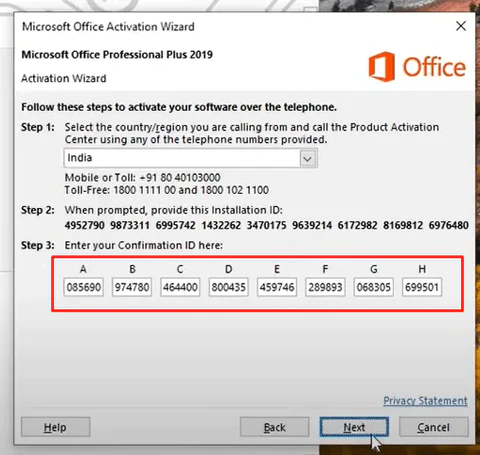
**Call Microsoft**(select India): Use the provided phone number to call Microsoft’s activation center. Follow the automated prompts or speak with a customer service representative.
Enter Confirmation ID: During the phone call, you will receive a Confirmation ID from the Microsoft representative. Enter this Confirmation ID into the Activation Wizard.
If Customer care asks for how many devices have been activated then say 1
Complete Activation: Once you’ve entered the Confirmation ID, click “Next” or follow the on-screen instructions to complete the activation process.
Activation Successful: If everything is entered correctly, your Microsoft Office product should now be activated, and you will see a confirmation message.
Add Canva at Only 299rs During Checkout,GST Invoice For All Products,For Any Queries/Issues/Specific Product Requirement - Contact Us on (Whatsapp LiveChat Lower Right Icon)